
The mix speaks for itself.
The workflow should too.
Client delivery for mix engineers
Free to start | 14-day Mix trial, no card required
From the moment they send a demo to the moment you deliver the master,
one link runs the whole job.
Client portal
What used to take five tools
Built-in storage and a client portal in one - playback, comments, and A/B from the same secure link.
DMs
"here's my rate, lmk"
PayPal
payment requested 3 weeks ago
WeTransfer
link expires in 2 days
"fix vocal at 1:12ish"
Re: Re: Re: approved?
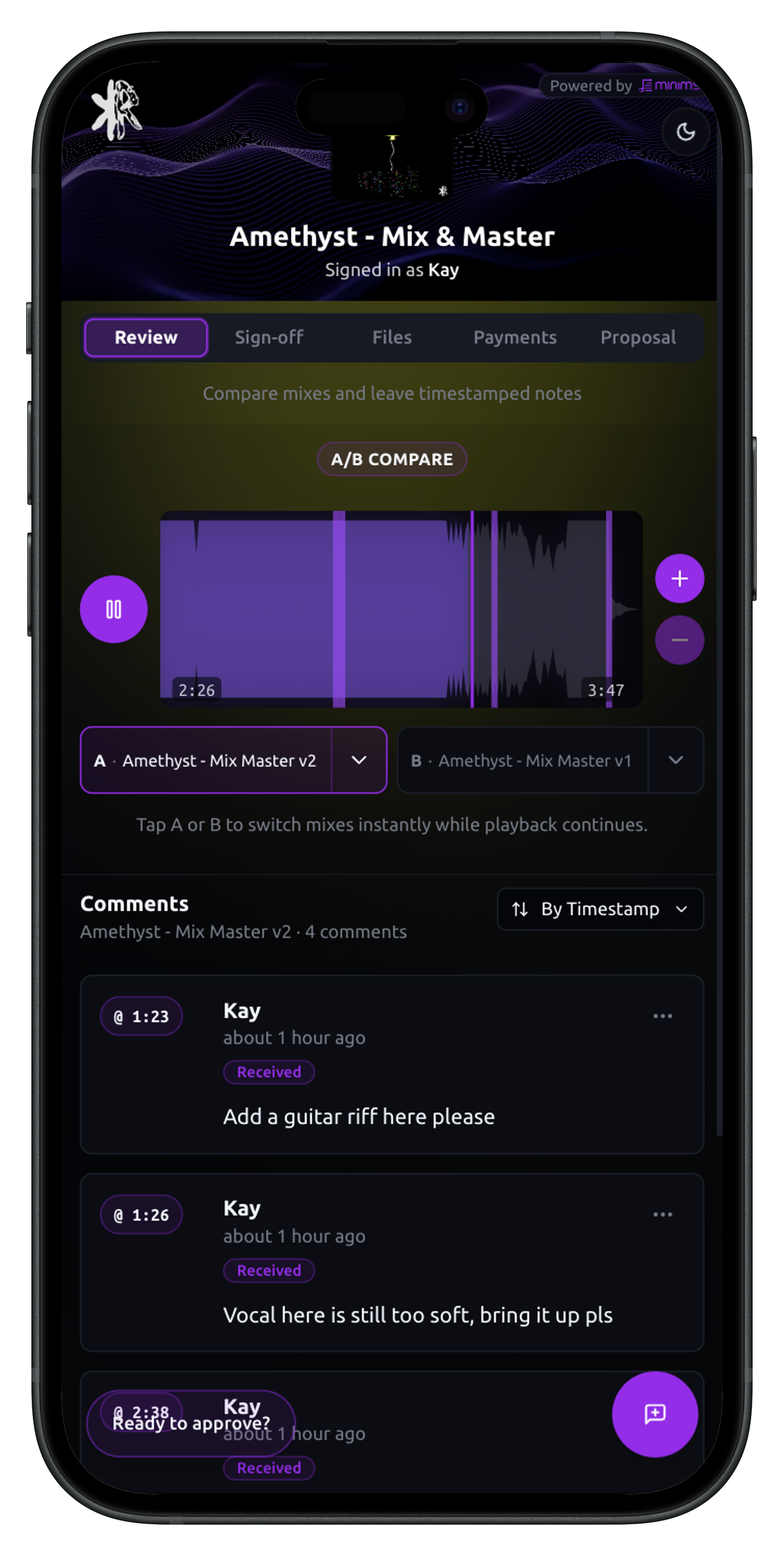
Ownership
Your studio. Your clients. Your terms.
The clients worth landing notice how the job runs - not just how the mix sounds. This is how you make both count.
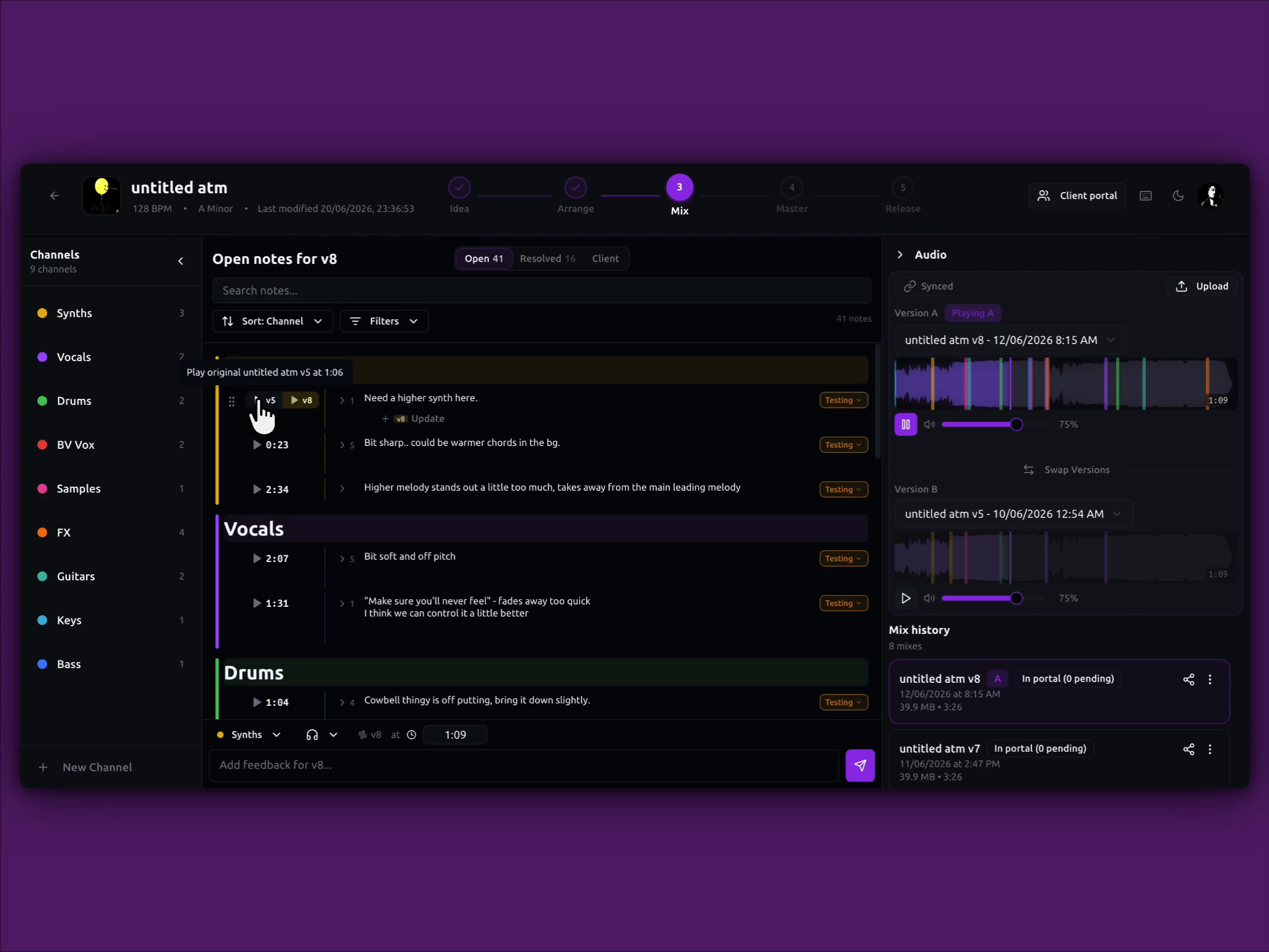
Issue stacks
Feedback that survives every mix
One issue, one stack - verify on every mix, then resolve when it's fixed.
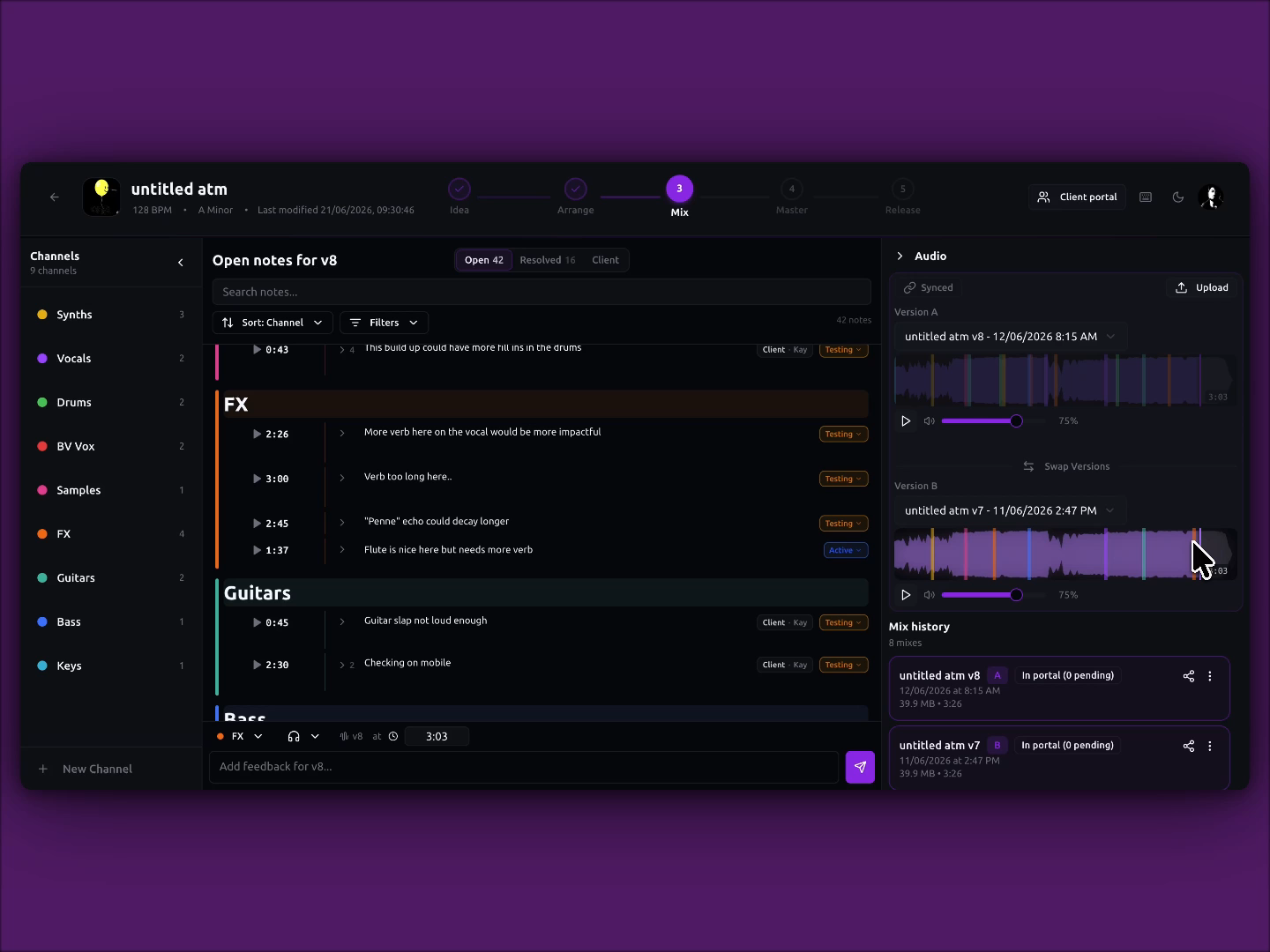
A/B compare
Click the moment. Compare the mix.
Waveform markers link to your notes - then A/B to hear the difference.
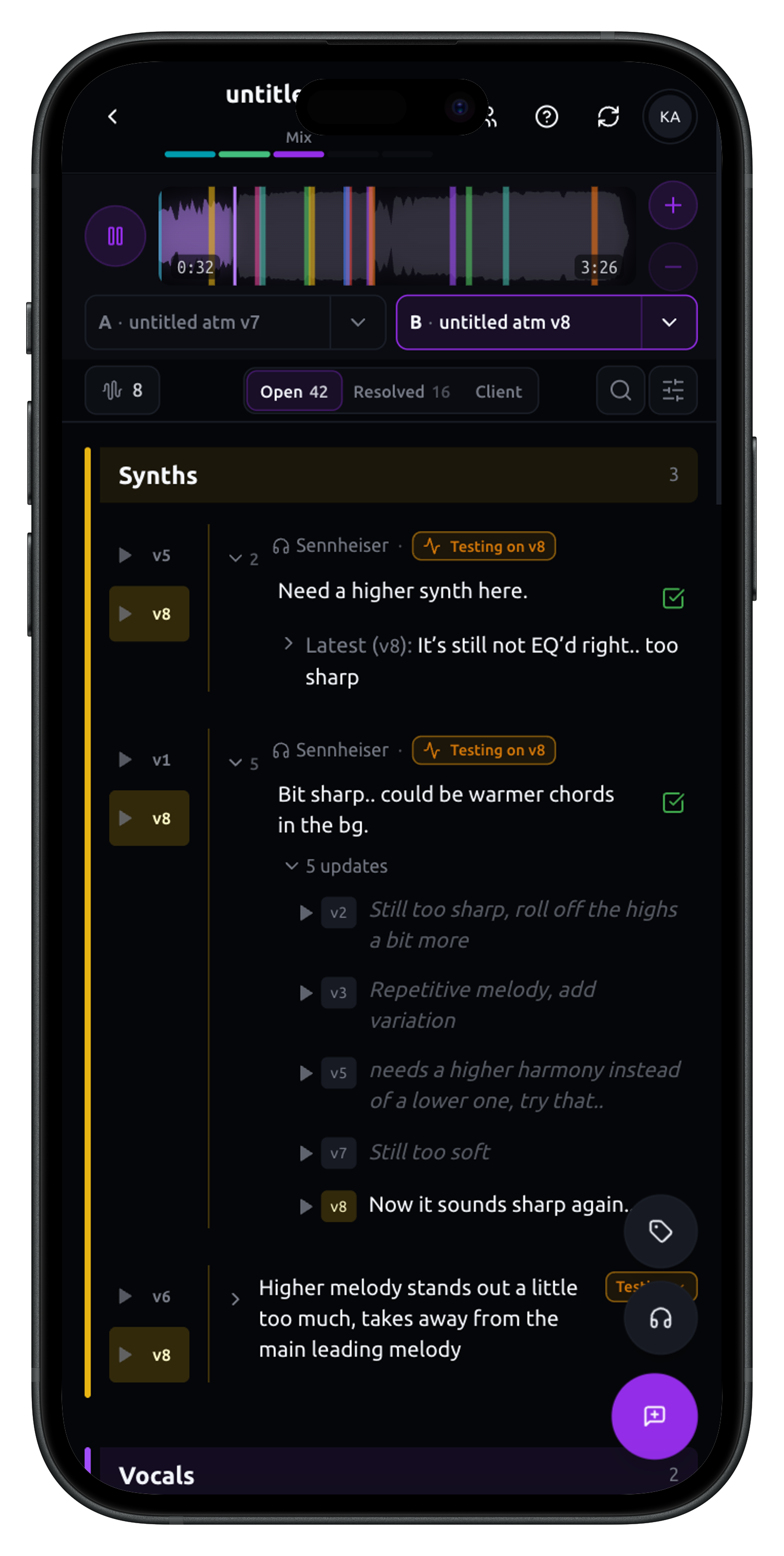
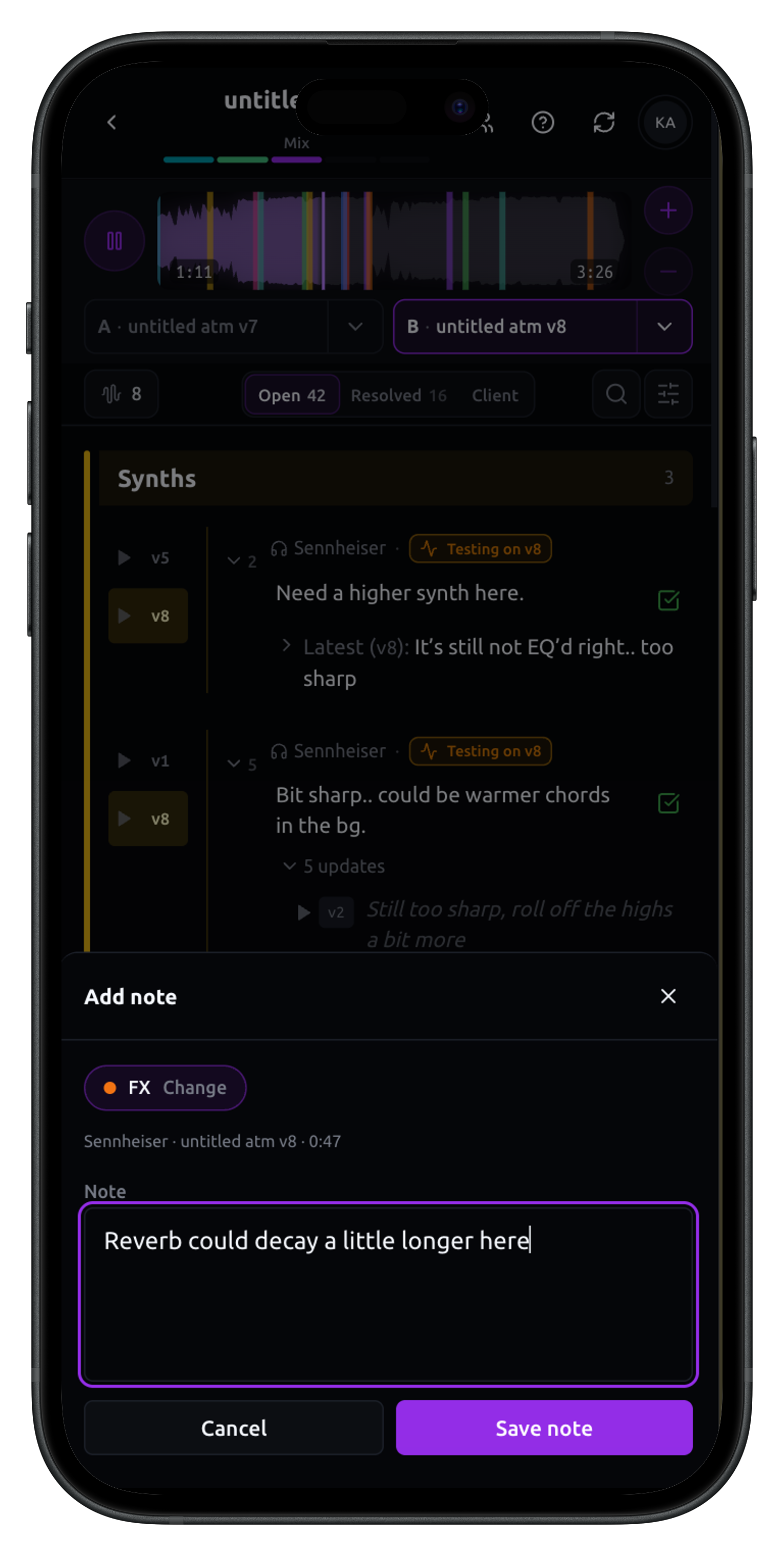
On-the-go tests
Outside the studio is where your mixes tell the truth
Every note remembers the listening context: car, cafe, commute or club.
Security
Trust, without the tradeoffs
Your work stays yours. Everything lives in your account and stays private until you choose to share it - and when clients come in, you're the one in control.
Access control
Your projects stay private until you share a client link. Portals use a passcode you control - change it or revoke access anytime. Downloads only work when you allow, including pay-to-unlock on final delivery.
Data encryption
Audio, images, and project data are stored on encrypted cloud infrastructure. Account passwords are securely hashed - never stored or sent in plain text.

Secure payments
All payments are powered by Stripe Checkout from the portal. Card details are entered on Stripe's PCI-compliant platform - Minims never sees, handles, or stores them. Paid delivery stays locked until payment is confirmed.
The gap was never your ears.
It's everything around the session.
You don't need a bigger studio to look like a professional one. A branded proposal, an organised portal, and a smooth delivery say more about your operation than a gear list ever will.
Leonardo "Chems" Chemello
Mixing and mastering engineer
Credits: Vulgo FK, Caio Luccas, NandaTsunami
Bobby Joe Witt (XrevelationstudiosX)
Mixing and mastering engineer
Credits: To Fight For
Jesus Armas (The Gemz Studios)
Mixing engineer and producer
Credits: CARVSO, Flaw's Theorem, Sandra Torrella
Justin Bransford
Mixing engineer, composer, and producer